

Create a template
Walk through the template creator wizard, from choosing a category to publishing your listing.
Open Templates → Create a template in the dashboard. The wizard walks you through up to eight steps.
You need creator access. Without it, the Templates page shows the catalog but no Create a template button.
Choose what the template does
Step 1. Choose a category
Pick what the agent does with money: Earn (vaults, pools and listed yield), Trade (spot, perps and listed venues) or Predict (listed event markets).

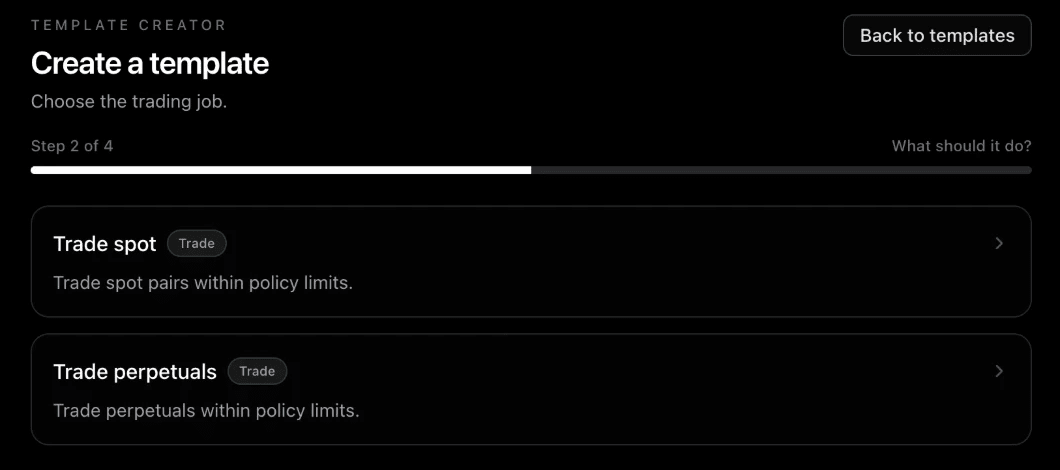
Step 2. Choose the job
Each category has its own jobs. For Trade, pick Trade spot or Trade perpetuals. Select a card, then Continue.
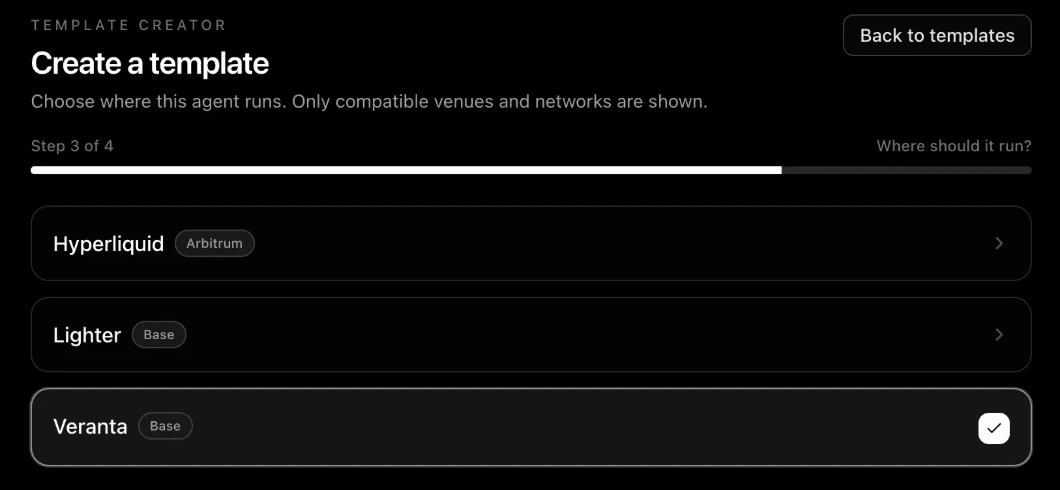
Step 3. Choose where it runs
Pick the venue and network. Only venues and networks that support the job are shown, for example Hyperliquid on Arbitrum, or Lighter and Veranta on Base. The bar at the bottom shows your choice: Selected: Veranta · Base.
Changing the venue later starts the strategy fresh, because data and tools differ per venue.
Write and tune the strategy
Step 4. Strategy
Write your playbook: your strategy in plain words, the way you would explain it to a trader. Then pick the data your agent reads and the tools it can call. The Your template box at the top keeps your choice in view, for example Trade · Trade perpetuals · Veranta on Base.

This is the most important step. See Write your playbook and Data and tools.
Step 5. Market and direction
Choose the coins, the direction (long, short or both) and the leverage range. Leverage shows as one row, from X to Y, with how far the price can move before liquidation, the loss at one stop-out, and the largest position on a $100 account. This step only shows on venues with market settings, such as perps.
Step 6. Risk
Start from a preset (Conservative, Balanced or Aggressive) and adjust stops, take-profit, the loss cap and entries per day. A risk summary shows what each setting means on a $100 account. New perps drafts start with a 15% hard loss cap; Conservative sets 8%.
Step 7. Test
Run Test on past check-ins on your current settings. It is required before you can submit. See Test, review and publish.
Step 8. Publish
Write the listing owners see: a Name (3 to 120 characters) and a Short description (8 to 500 characters). Then select Submit for review.